
In Fable, a bedside lamp shines on an antique pop-up book. The pages unfold into small paper theatres. Then the singer walks into the same world and the scenery is suddenly big enough to perform in. The two spaces are different in scale, but their paper edges, shadows and colours make them feel related. That is the kind of detail that makes you want to rewind a shot and ask how it was constructed. Claudia.gallery gives you somewhere to take that question. Next to the finished video are stills, production materials and a record of how the filmmakers went about it. Watch Fable.
What Claudia.gallery is and how you can use it
Claudia.gallery is the home of Claudia, a fictional pop singer and an open character created by anabology. At the time of writing the site documents ten music videos. It is an independent Claude fan project with no affiliation to Anthropic. Claude assisted with production work such as planning, writing, prompts and editing. Other tools contributed images, movement and music, depending on the film. The credits across the collection include Midjourney, Seedance, Wan, GPT Image and Suno. Each film has its own mix of tools and techniques. Visit Claudia.gallery · Read about the production process.
Start by opening a film page and selecting Play the film. Then look through the stills and production notes. The Escape Velocity page, for example, has a Midjourney section where you can search the prompts and open individual images to read the instructions behind them. A prompt is a description given to a generator. Try comparing one with the result. Which words describe the camera angle? Which describe the costume or the light? Which details in the final shot look like they belong to the edit? You can bring these questions to a book trailer, a short animated story or a video for a local group. Browse the Escape Velocity images and prompts.
The Claudia page lists the features that make the singer recognisable across different worlds. They include a black bob, one clay-orange streak, a star hair clip and an adult face. Some looks include a headset microphone. The Use her page sets out the creator’s permission to use the character and gallery images, including in commercial work, and identifies third-party materials outside that permission. You can work with Claudia or use the gallery to help design a character of your own. The Wiki offers a beginner’s introduction, a concise production recipe and resources for assistants that can connect to multiple tools. Meet Claudia · Read the usage terms and credits · Start with the Wiki.
Four films worth studying shot by shot
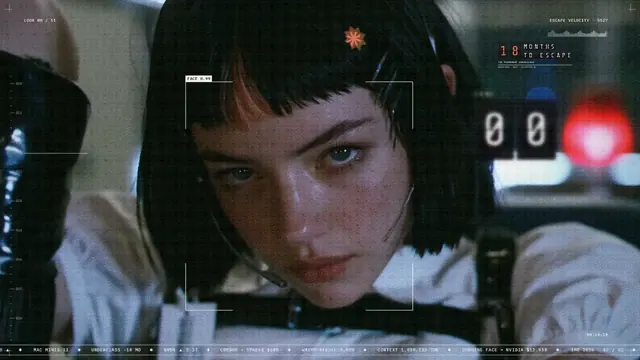
Escape Velocity gives a fashion show a story
A techwear runway becomes a vehicle for satire. The outfits change, and a mechanical countdown board gives the audience something to follow through the changes. The production page reports 141 shots in a film that runs five minutes and six seconds. Watch the opening again and follow the board. How does its meaning change as the show moves on? A thirty-second film can use the same principle with a ticket, an envelope or a clock hand. Put the object in the opening and let it return at the end, when the audience can finally see why it mattered. Watch Escape Velocity.
Whitepill makes the rhythm visible
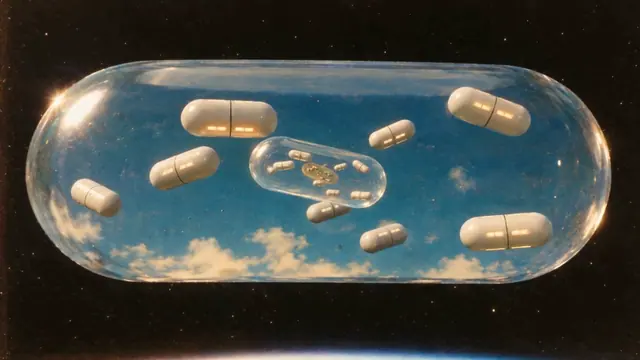
There are golden fields, cyan skies, giant capsules and a singer moving through a collection of improbable landscapes. The production notes report 27 shots, all cut on musical bar lines. They also document 75 clips generated with Wan 3.0 Prime, all left out of the finished film. Watch part of the video with sound and then mute it. See whether you can still anticipate a cut from the composition and movement within the shot. One useful lesson for a beginner is how much the timing of a single cut can do, even when a scene contains elaborate imagery. Watch Whitepill.
Aero puts the lyrics inside the world
Aero uses the glossy glass, vivid greens and blue skies of Frutiger Aero. The team recreated a Windows Vista desktop in code and made it part of the scenery the camera moves through. Lyrics appear inside its windows, dialogue boxes and interface elements. The idea scales down beautifully. If your video takes place in a train station, use the departure board to show the last line. Add the words in the editor, make them large enough to read and bring them in when the audience is ready for them. Watch Aero.
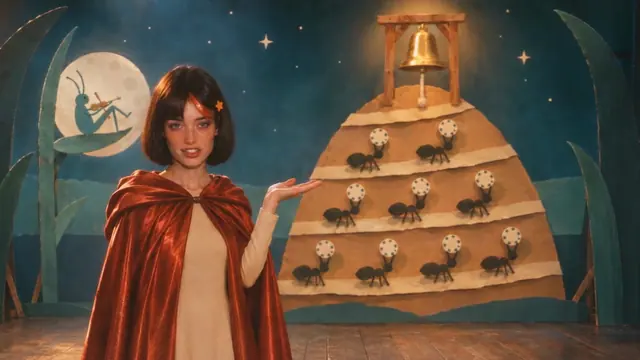
Fable builds the same world at two scales
The film moves from a bedside book to life-sized sets while keeping the designs recognisable. The production page also shows the first cut. Anabology chose a different take of the song after listening, and production rebuilt the film around that choice. Try listening to the two versions and noticing where the musical accents land and what happens to your sense of pace. For your own video, settle the audio while the shots are still easy to move. Watch Fable and compare the cuts.
A no-code tutorial for a 30-second story in six shots
The exercise is called The Paper Lantern. A book restorer walks into a dark library with a lantern. Its light reveals a hidden map on a table. At the end we realise the map depicts the path she has just taken. Adapt that premise to a book trailer, a title sequence for a school play or a short film about a community project. You need a chat assistant if you want help writing, a way to make or photograph images and a video editor with a timeline. The gallery provides examples to study. You make the images, animate them if you wish and export the video in tools of your choice. Six stills and an audio track you can use are enough for the first cut.
1. Describe what the viewer will understand
Write one sentence about what the audience should understand by the end. For example, “The lantern revealed a path that was already there.” Pick your aspect ratio before composing the images. Start with 16:9 for a video embedded in an article or shown on a projector, or 9:16 for a vertical video. The sheet of paper and the actor’s hand both need space in the frame, and switching formats late can make that awkward. Decide how many tests you want to make and how much you are prepared to spend. Zero is a workable starting budget if you use your own images and recordings.
Help me plan an original 30-second film about a book restorer who discovers a hidden map with a paper lantern. Give me three ways to reveal the map. For each one, say what the audience should understand, what we see in the first three seconds and which visual detail comes back at the end. Use plain English and stop after the pitches.
Read the three ideas and pick one. See if you can explain it to someone in the time it takes an elevator to reach their floor. If it requires a long answer, simplify the action. This exercise needs one person, one prop and one discovery. You will have more room to experiment with the light or the framing once you know which action the audience needs to see.
2. Make a short visual reference for the character
On the Claudia page, look at how a handful of recurring details carry the same character from film to film. Give your restorer a few traits that will be easy to recognise. Leila is an adult with short curly hair. She wears a deep teal coat and carries a hexagonal ivory paper lantern with a dark handle. Give the surroundings two main colours: deep blue for the library and amber for the lantern light. Save one image that clearly shows Leila’s face and another that makes the lantern’s shape obvious. If you are shooting with a camera, use a willing participant and a practical prop.
Repeat the character and prop descriptions in the later prompts. If your image generator accepts reference images, use the same selected images for the later shots. Keep a short note of which features are fixed and which can change. A wider camera angle can show the room without giving Leila a new face or a different coat. Put two draft frames side by side before making the rest. A lantern that changes shape is easy to fix while you are still choosing stills and harder to correct after you have animated it.
3. Put the audio and the story on the same timeline
Choose thirty seconds of audio. You can record footsteps, a door opening and the rustle of paper yourself. If you want a song or a voice-over, load the exact recording you are planning to use. Listen twice and mark the moments when an accent, a pause or a sound could change the meaning of the picture. Treat the timings below as a starting point and adjust them around what you hear.
| Time | Shot | What the viewer learns |
|---|---|---|
| 0–3 s | A hand and lantern come through a dark doorway | The light introduces the story |
| 3–8 s | Leila walks between shelves | She is in a library |
| 8–13 s | The lantern lowers towards a table | She has found something |
| 13–18 s | A close shot of the illuminated paper | A map appears |
| 18–24 s | Leila looks from the map to the shelves | She recognises the route she took |
| 24–30 s | An overhead view of the whole map | We can finally see the route |
Place rough sketches or temporary photos on the timeline and play the sequence before you generate the final images. If the discovery is clear, your story is working. If someone just sees a woman walking through a library, try framing the turn between the shelves and the turn on the map in a similar way. Cutting between them will help the audience make the connection. Let the paper rustle as we first catch sight of the line, then give the viewer time to follow it.
4. Create still images and animate the shots that need it
Start with the door, Leila’s face and the illuminated map. Those frames establish the character, the prop and the setting. For each image specify the subject and action, camera distance, lighting and aspect ratio. Here is a sample prompt for the discovery shot.
Overhead view of a dark wooden table in an old library. A hexagonal ivory paper lantern with a dark handle lights a folded sheet of paper. Leila’s hand, with a deep teal sleeve, lowers the lantern on the right. Keep the centre of the paper visible. A pool of amber light, deep blue shadows along the edges, horizontal 16:9 composition. No writing.
You can draw the map on paper and photograph it, or overlay a simple route in your video editor. A clear route that matches the earlier scene will do more for the story than an ornate marking. If you have an image-to-video tool, load the chosen still and request a single movement. Try “The hand lowers the lantern slowly. The camera is locked off. The paper and the lantern’s shape stay the same.” Check the beginning, middle and end of the clip. If the handle warps or the map redraws itself, keep the still and add a gentle push-in in the editor. The timing of the next cut can supply the energy you wanted from movement.
5. Edit, show someone, and revise one point at a time
Put the six shots and the audio together. Trim moments where the viewer is waiting without learning anything new. Give the map enough screen time to read it. If you add text, make it large enough to read on a phone. If someone speaks, add captions and check important words and names by hand. An automatic transcript can mishear an unfamiliar name, especially if the voice is competing with footsteps or music.
Show the preview to someone without telling them what happens. Ask “What did she discover?” and “When did you work it out?” If they say she discovered a map but miss the link to the shelves, refine the two shots that carry that connection. Write down the change and watch it in context before starting a new round of generation. Export an MP4 and open it on a phone. Try it with the sound off as well. Your description can say “Concept and edit by [name]. Images and animation made with [tools]. Music by [author or source].”
6. Check the usage terms if you work with Claudia
The gallery’s Use her page invites people to reuse Claudia and the gallery images, including in commercial work, within the terms it outlines. The creator appreciates a “Claudia by anabology” credit. For music releases using the character, the page recommends releasing under your own artist name and crediting the character in the description. Keep a record of the images you used, where your audio came from and the terms of any service relevant to your release. The gallery identifies third-party materials in some films, such as Microsoft assets in Aero and Valve’s work in The Cake Is Not a Lie. If you like the idea of a desktop as a set, you can draw an imaginary interface from scratch and record your own notification sounds. Read the gallery’s terms and credits.
Moving on to a more involved production
Open The recipe in the Wiki and compare the human decisions it calls for with the ones you made on your rough cut. Before generating a batch, try recording the shot number, reference image, expected duration and estimated cost in a simple spreadsheet. The gallery also provides a code kit and MCP access to its documentation for people using connected assistants. For this exercise you can fill in the sheet by hand. The Escape Velocity page reports roughly $93 for the Seedance 2.5 work, one part of the cost of that particular film. Check your provider’s current prices and account for the takes you might discard before spending on a batch. Production recipe · Escape Velocity production figures.
Why these tools are becoming easier for people who don’t code
To test the idea of a book unfolding into a stage set, you might once have had to learn several tools before you could see the first version. Today you can describe the scene in a chat, look through a few rough images and arrange a sequence to show someone. The first cut can be a series of stills. That makes a difference for a teacher, writer, community organiser or small business owner. They can see whether an audience understands the story before committing time and money to a more elaborate production.
It is reasonable to expect the handoffs between generation, editing and review to get easier as the tools become more closely integrated. If a change to a shot’s length can carry through to the edit and the captions without redoing both by hand, a solo creator can keep closer control of the project. That still leaves decisions you can make from the first attempt. Listen to two recordings and choose the one that suits the scene. Spot the prop that changed shape. Ask whether the ending landed. The gallery’s recipe documents moments for human decisions about the concept, music, references, storyboard, spending and first cut. For a project like The Paper Lantern, those same decisions fit on a single page. Read the production recipe.
For a broader view of recent progress in AI, read IA24.it’s latest article, published on 21 November 2026. The article is in Italian and introduces a PDF on the state of AI drawing on work from Stanford University. Un report importante per analizzare lo stato dell’arte della IA.